

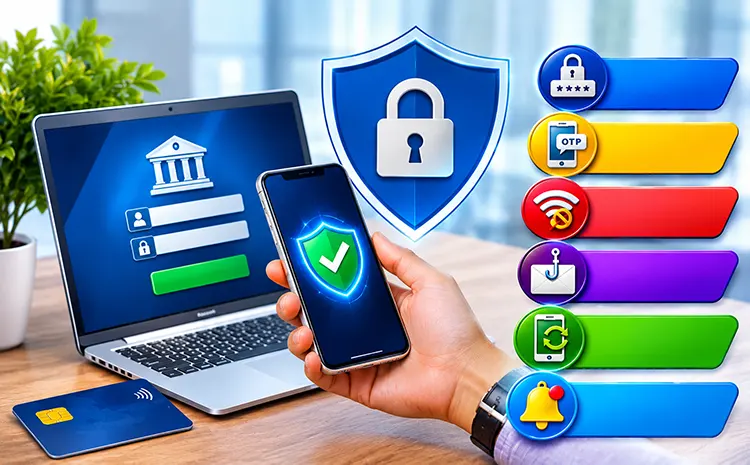
Online banking is a convenient way to handle your money, pay bills, and keep track of your finances without having to go to the bank. But there are people who try to trick you into giving them your banking info by using fake emails or bad software. To keep your money safe, you should follow some simple rules.
Here are a few important things to remember when banking online: * Be careful with emails and links.
- Keep your computer safe.
- Use strong passwords.
- Check your account often.
- Only use secure websites that don’t give out your info easily.
By doing these things, you can protect yourself from people who steal your money or access your account.
| Security measure | How to stay safe |
| Login credentials | Never share your banking PIN, password, or TAN. |
| Email security | Avoid suspicious links and attachments. |
| Phishing detection | Check suspicious URLs before opening them. |
| Strong passwords | Use long, unique passwords for banking accounts. |
| Public Wi-Fi | Avoid accessing online banking through unsecured public networks. |
| Software updates | Keep your browser, operating system, and security software updated. |
Here Are The 6 Essential Tips to Protect Your Bank Account
1. Never Share Your Online Banking Login Details
Never give out your login details over the phone or via email. A call or email, supposedly from your bank, requests your IBAN and password—often to reactivate your account after alleged technical problems. Never share your online banking PIN, password, or transaction authentication number (TAN) in response to unsolicited phone calls, emails, or messages claiming to be from your bank. Even when using telephone banking, only provide your IBAN and PIN if you have called your bank. If someone claiming to be a bank employee contacts you and asks for this information, do not say anything. Instead, simply call the bank’s official phone number and ask for confirmation. Enabling multi-factor authentication provides an additional layer of security by requiring further identity verification before allowing access to your online banking account.
2. Avoid Suspicious Email Links and Attachments
Phishing emails often contain a link to a fake website that steals your login credentials when you click on it. Unfortunately, this fake site often looks deceptively similar to the real thing. It’s best to always access your online banking directly by typing the URL into your browser’s address bar.
3. Check Suspicious Email Links Before Clicking
Does an email seem suspicious? Sometimes, simply hovering your mouse cursor over the links in the email can help. The status bar of your email client or webmail interface will then display the page the link leads to. If the link leads to an unfamiliar or suspicious website, do not open it. Contact the company through its official website or phone number to verify the message.
4. Create and Use Strong Online Banking Passwords
You should secure access to your banking software on your computer with a password that is difficult to crack. To make your passwords especially secure, use long, unique passwords that are difficult to guess. Consider using a password manager to create and store them securely. Even a good password becomes insecure if you store it unencrypted on your hard drive or even in your address book or phone book.
5. Avoid Public Wi-Fi for Online Banking
Do not log into your online banking via a public Wi-Fi network. You simply don’t know if, and if so, how well your data is secured on such a Wi-Fi network. For online banking, if possible, use your mobile data connection—or wait until you can browse on a trusted network.
Besides internet connections, there are other security risks you should know when banking with the app. We’ve compiled a few simple tips for secure mobile banking.
6. Keep Your Browser and Operating System Updated
Always keep both your operating system and your browser up to date. This minimizes the risk of security vulnerabilities. We also generally recommend using and keeping an antivirus program up to date.
By the way: Many apps can be automatically updated and kept up-to-date through the settings. But why is an up-to-date operating system essential for apps? We’ll provide you more information about the interplay between smartphones, operating systems, and apps.